
Cleanup-first Checker Plus alternative
Replace Checker Plus. Clear Gmail without living in it.
Keep the toolbar badge, popup mail actions and desktop alerts. Add sender sweeps, bulk unsubscribe & archive, and local scam checks — with the count in front of you. No API key for core cleanup. AI optional.
Checker Plus is the direct replacement baseline because it solves the same everyday Gmail job. Its voice alerts and detailed notification controls remain useful advantages. TriageBox turns that same popup into cleanup, unsubscribe and scam checks.
CWS 2.02 · Add to Chrome → Google consent → pin the badge · Core mail tools need no AI key
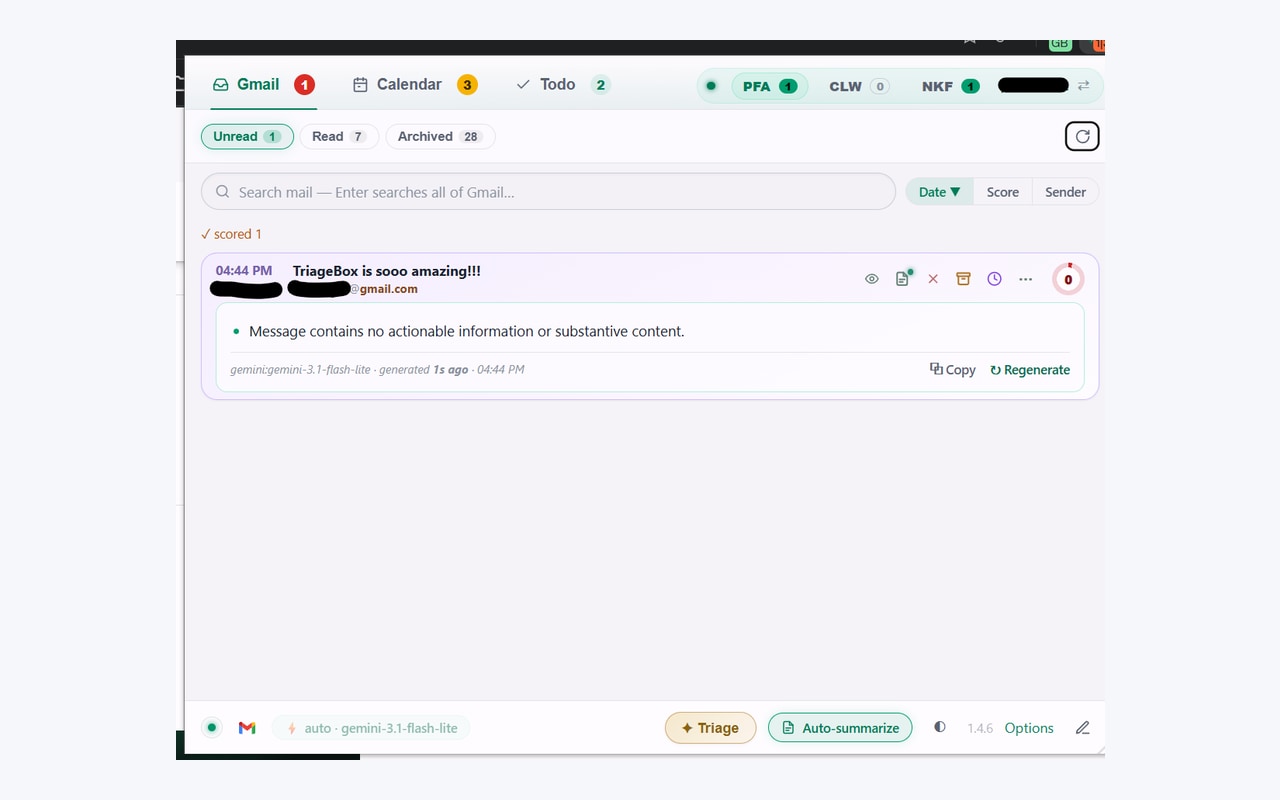
Reviewed . The live Chrome Web Store listing for TriageBox is 2.02; Checker Plus for Gmail showed 36.5.2 on the same check. See the changelog for what shipped.
The direct replacement comparison
What changes when you switch
Feature assessments from the official sources below and the implemented TriageBox code. The detailed ratings live in one place: Settings → Product comparison. Its Overall score is the plain mean of twelve desktop criteria, sorted highest first; phone support and background operation are explained separately.
| Your task | TriageBox | Checker Plus for Gmail |
|---|---|---|
| Read and act from a popup | Preview, archive, read/unread, snooze, spam and delete, with a workbench for larger decisions. | Read, archive, mark read and delete from the popup, with reply and compose tools. |
| Arrival notifications | Desktop alerts with Archive and Mark read, quiet hours and a toolbar badge. | Rich per-account alerts, voice, repeat notifications and custom sounds. |
| Clear a backlog | Sender, domain, category and age sweeps; exact live counts, protection choices and saved cleanup jobs. Scans are capped at 20,000 messages. | Popup actions and mark-all-read support daily mail handling; no comparable sender/domain cleanup inventory is advertised. |
| Undo cleanup | Confirmed sweeps keep bounded undo records. Restoration depends on the mail still being available in Gmail. | Ordinary mailbox actions; no comparable persistent sweep-job undo journal is advertised. |
| Unsubscribe | Uses sender-provided unsubscribe routes and offers a related cleanup. Requests do not guarantee the sender will stop. | No dedicated unsubscribe manager is advertised in the reviewed feature FAQ. |
| AI assistance | Optional message ratings, summaries and analyst notes using your own provider key. The triage workbench covers the newest 480 threads. | The current store listing offers optional AI reply and compose. No equivalent priority-score or summary workbench is advertised. |
| Review suspicious mail | Header-based sender, reply-path and attachment signals without an AI key; optional AI adds review assistance. Signals can be wrong. | Can mark messages as spam. No equivalent phishing-analysis workbench is advertised. |
| Several Gmail accounts | Quick account switching, separate cached state and badges. Cleanup targets the selected account. | Account ordering, multiple personal and Workspace accounts, and detailed per-account notifications. |
| Background operation | The popup can close while Chrome keeps checking. Fully quitting Chrome pauses polling and queued work until it resumes. | No Gmail tab is needed; checks can use Chrome background mode. Fully quitting Chrome stops checks. |
| Mailbox data | No TriageBox mailbox backend. Optional AI sends selected content to your configured provider. Anonymous support likes use a separate public service. Privacy policy. | On our reading of Permissions and privacy, mailbox work is handled by the extension and optional services have separate permissions. |
| Cost | Free core tools. Donations do not unlock features; optional AI-provider costs are separate. | On our reading of the contribution FAQ, core use is free and contributions unlock listed extras. |
| Phone access | Desktop Chromium extension. | Desktop Chromium extension. |
Official sources: Checker Plus store listing, feature FAQ, and TriageBox release notes. These are feature judgements, not performance or security benchmarks. Send corrections with the source URL through Settings → Help & feedback.
Switch to TriageBox when…
- You want everyday notifications and a popup that also clears sender backlogs.
- You need counts, protection choices and an undo record around larger cleanup jobs.
- You want header-based scam checks and bulk unsubscribe without an API key (AI stays optional on your own key).
Keep Checker Plus when…
- Voice announcements, repeat alerts or detailed notification customisation are central to your day.
- Its account and label notification controls already match your workflow.
- You prefer to try the cleanup tools alongside it first. Disable duplicate arrival alerts in one extension.
Install path
From the live Chrome Web Store to a pinned badge
Three steps. No TriageBox account.
- Add to Chrome on the live Chrome Web Store listing (
fdkbolcjccjkgadblcfnbnlibaiaellj). - Sign in with Google on Google’s own consent screen.
- Pin TriageBox so the toolbar badge shows your live unread count. Optional: disable duplicate Checker Plus arrival alerts if you keep both.
Beyond the notification
Use the same workspace to finish the job
Sweep a sender or domain
Review grouped mail and a live count, then archive or trash a confirmed selection. Starred and important mail can be protected.
See bulk cleanup →Stop unwanted subscriptions
Use the actual sender's unsubscribe route, then decide whether to clear the messages already received.
See unsubscribe →Check suspicious mail
Read Gmail’s own SPF/DKIM/DMARC, reply-path and attachment signals on the card — no API key. Optional AI only if you want extra review.
See phishing check →Quick answers
Switching from Checker Plus
Will TriageBox replace Checker Plus for Gmail?
Yes, for everyday popup mail actions and desktop alerts. TriageBox adds sender and domain cleanup, bulk unsubscribe, scam checks and calendar tools. AI triage is optional on your own key. Checker Plus retains richer voice and notification controls, so compare those before switching.
Can I run Checker Plus and TriageBox together?
Yes. Both connect to Gmail from your browser. If you keep both during a trial, turn off arrival notifications in one to avoid duplicate alerts. Changes made by either tool appear in the same Gmail mailbox.
Do I need an AI key to use TriageBox as a Checker Plus alternative?
No. Connect Gmail for the badge, popup actions, bulk sweeps, unsubscribe and header-based scam checks. Summaries and AI ratings are optional and use your own Gemini, Grok or OpenRouter key. Provider limits and charges apply.
Does my mail go through a TriageBox server?
There is no TriageBox mailbox backend. Mailbox work runs in your browser, and optional AI sends selected message content directly to your configured provider. The separate public support service counts anonymous likes without receiving Gmail content.
Is TriageBox free, like Checker Plus?
TriageBox core features are free, with no subscription or features unlocked by a donation. Optional AI-provider usage may cost money. On our reading of the Checker Plus contribution FAQ, its core notifier is free and contributions unlock listed extras.
Install path
Add TriageBox. Clear the backlog from the popup.
Popup triage, bulk unsubscribe & archive, scam checks. No API key. AI optional.