
Guide reviewed . The live Chrome Web Store listing for TriageBox is 2.02. See the changelog for what shipped.
Chrome Web Store 2.02 · Gmail, in your browser
Mute sender in Gmail. Hide emails from one address without deleting them.
TriageBox 2.02’s card more menu has Mute sender: that email address is
filtered out of Unread and Read into the Muted tab
(markUnimportant). Unmute sender from Muted restores
(markImportant). The Muted tab appears when it has content. No AI key. No TriageBox server.
This is not stop promotional emails, per-exact-sender bulk unsubscribe, or undo archive / Recently removed.
CWS 2.02 · Add to Chrome → Google consent → pin the badge · Mute sender needs no AI key
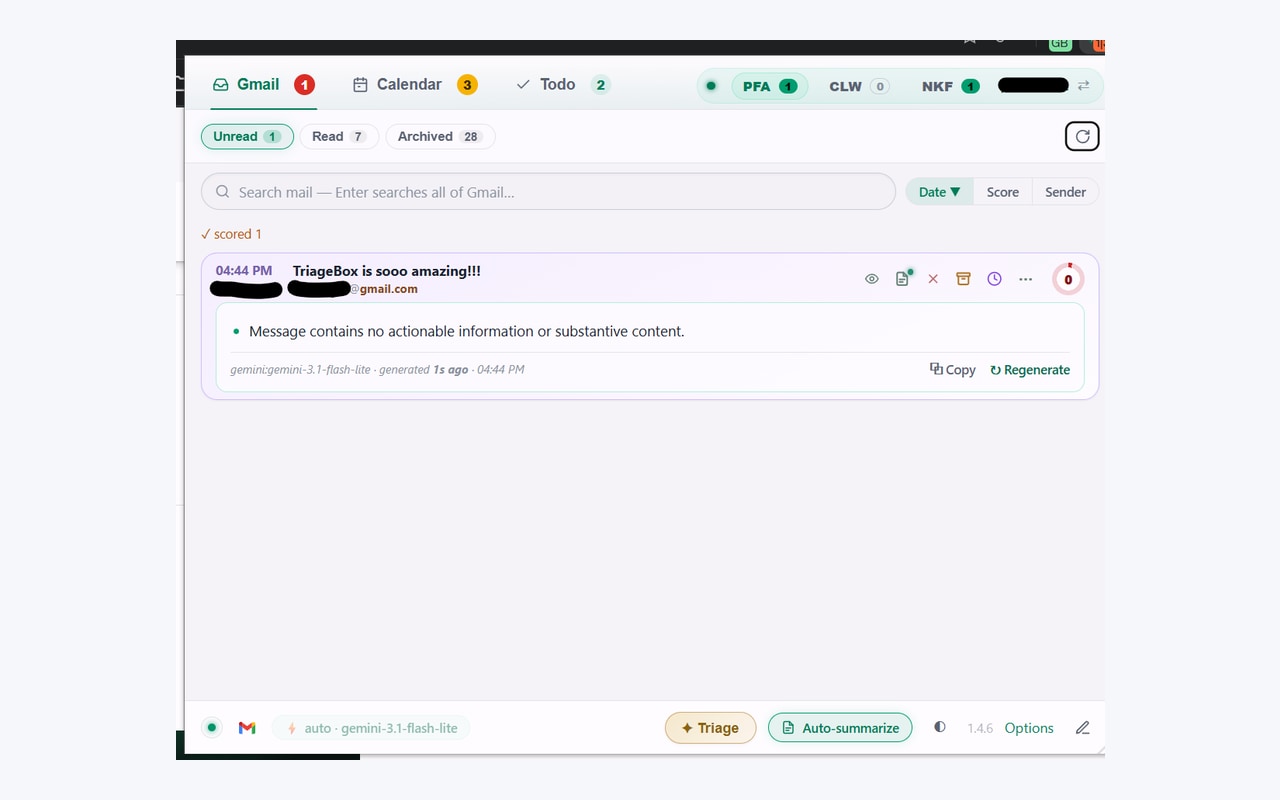
Gmail already has Mute and filters
Use Gmail if conversation mute, a filter, or a label is enough. Use TriageBox if you want one-sender mute from the popup card into a Muted tab — not a thread mute, not a filter, not a label.
Gmail’s own Mute (one conversation), filters, and labels are free and correct — they hide a thread, auto-sort, or file mail. They are not “mute this sender address from the triage card into a Muted tab.” TriageBox 2.02 is that narrower job: from the Chrome popup card more menu, mute that sender address so their mail leaves Unread/Read and collects in Muted until you unmute. Settings also lists muted senders. First-time install still shows Google’s unverified-app screen.
Same mailbox, different job
Gmail mute / hide sender vs TriageBox 2.02 Mute sender
Facts from Gmail’s mute/filter behaviour and from the live Chrome Web Store listing for TriageBox 2.02. No invented ratings.
| What you need | Gmail | TriageBox 2.02 |
|---|---|---|
| Hide one noisy sender from the triage list | Filter / skip inbox · or Mute on a thread | Card more menu → Mute sender — address filtered out of Unread/Read into Muted |
| See muted mail later | All Mail / search / filter label | Muted tab (appears when it has content) |
| Bring the sender back | Edit/delete the filter · Unmute thread | Unmute sender from the Muted tab (or Settings → Muted senders) |
| Delete the mail | Delete / Trash | Mute does not delete — mail stays in the mailbox |
| Stop the next newsletter | Unsubscribe / Manage subscriptions | That is bulk unsubscribe or card Unsubscribe — different job |
| Clear Promotions | Promotions tab | That is stop promotional emails — different page |
| On your phone | Gmail app | Desktop Chrome only |
TriageBox is not affiliated with Google. Gmail, Google and Chrome are trademarks of Google LLC. Mute does not empty Promotions — that is stop promotional emails. Per-sender unsub is bulk unsubscribe. Restore after archive/delete is undo archive. There is no TriageBox server and no AI key for this path.
Store 2.02 · no API key
How mute sender actually runs
- Install and connect Gmail. Desktop Chrome. No TriageBox account.
- Open the card more menu. Choose Mute sender. TriageBox stores that address in
unimportantSendersand filters it out of Unread/Read (markUnimportant). - Open the Muted tab. It appears when it has content. Muted mail collects there — nothing was deleted.
- Unmute when you want them back. From the Muted tab, Unmute sender (
markImportant), or remove the address under Settings → Muted senders. A toast Undo is offered right after mute.
Mute from the card
More menu → Mute sender. That address leaves Unread/Read for the Muted tab.
Muted tab when needed
Appears when it has content. Review muted mail without it cluttering Unread.
Unmute restores
Unmute sender from Muted (or Settings). Toast Undo right after mute if you misfired.
Not delete / unsub / Promotions
Bulk unsubscribe, stop promotions, and undo archive are different pages.
Hide the sender. Keep the mail.
Mute one address from the card more menu — Unread stays quieter; Muted holds the rest.
Bulk unsubscribe & archive, scam checks. No API key. AI optional.
Limits, stated
What this page does not claim
- It does not replace Gmail’s own Mute on a conversation, Filters, or Labels. Those still work, for free, with no extension — and they are a different job from one-sender Mute into the Muted tab.
- It does not delete mail. Muted messages stay in the mailbox.
- It does not unsubscribe. That is card Unsubscribe or bulk unsubscribe Gmail.
- It does not empty Promotions — that is stop promotional emails.
- It is not undo archive / Recently removed.
- It does not require an AI key or a TriageBox server.
- It does not run on your phone — desktop Chrome only.
- It is not for anyone else’s mailbox.
Quick answers
Mute sender Gmail
How do I mute a sender in Gmail from a Chrome extension?
In TriageBox 2.02, open the card more menu and choose Mute sender. That email address is filtered out of Unread and Read and collected in the Muted tab. Unmute sender from the Muted tab restores the sender. The Muted tab appears when it has content. Mail is not deleted. This does not unsubscribe and does not empty Promotions. No AI key. No TriageBox server. Desktop Chrome only.
Is TriageBox Mute sender the same as Gmail conversation mute, filters, or labels?
No. Gmail Mute hides one conversation. Filters auto-label or skip the inbox. Labels file mail. TriageBox Mute sender takes one email address from the popup card more menu and filters it out of Unread/Read into the Muted tab until you unmute. Mail is not deleted. This is not unsubscribe and not a Promotions sweep. No AI key. Desktop Chrome only.
Does mute delete mail or unsubscribe the sender?
No. Mute only filters that sender out of Unread/Read into the Muted tab. Messages stay in the mailbox. Unsubscribe is a different card action (and bulk unsubscribe is a different page). Emptying Promotions is Bulk sweep on stop promotional emails.
Is this the same as stop promotions, bulk unsubscribe, or undo archive?
No. Stop promotions is category/age bulk sweep plus Normal mail only. Bulk unsubscribe is per exact sender then leftover sweep. Undo archive is toast Undo and the Recently removed tray. This page is mute/unmute one sender into the Muted tab.
Does my mail go through a TriageBox server?
No. There is no developer-operated backend. Processing runs in your browser; Gmail data is not sent to the publisher.
Desktop Chrome · Gmail you already have
Mute sender Gmail — hide emails from one address, without unsub or Promotions sweep.
Bulk unsubscribe & archive, scam checks. No API key. AI optional. Free to install — no TriageBox account.