
Guide reviewed 23 September 2026. The live Chrome Web Store listing for TriageBox is 2.02. See the changelog for what shipped.
Desktop Chrome extension · Gmail, in your browser
Gmail phishing checker — no API key, Gmail’s own sender checks
TriageBox reads what Gmail already stamped on the message: SPF, DKIM and DMARC, the address a reply would really reach, and whether an attachment is a program or hides behind a second extension. One of these is a fact. Two at once is a warning. No AI. No API key. No TriageBox mailbox server.
This is not a security-company product, and it is not a banner inside gmail.com. It runs on cards in the popup. It is also not bulk unsubscribe or deleting old emails.
Free on the Chrome Web Store · no account · desktop Chrome only
Gmail already knows
Use Show original if you can read headers. Use TriageBox if you want the sentence on the card.
Gmail on the web already filters spam and lets you Report phishing. Show original already shows Authentication-Results. Those are the source of truth. TriageBox does not replace them. It translates the same Gmail verdict, plus the reply path and the attachment’s real type, into a line on the unread card so you do not have to open the raw message for every suspicious invoice.
| Job | Gmail on the web | TriageBox |
|---|---|---|
| Sender verification (SPF / DKIM / DMARC) | Show original → Authentication-Results. Gmail’s servers stamp it; the sender cannot write it. | Same Gmail verdict, as a sentence on the card. A DMARC fail is a caution, not an automatic accusation. |
| Where a reply actually goes | Buried in headers. Every mail app answers Reply-To, not From. | Named before you reply when that address is a different organisation — the shape of invoice fraud. |
| Attachment type | The filename you see. Invoice.pdf.exe still looks like a PDF until you look. |
Judged by what it is. Nothing is downloaded. A program, or a second extension, is said in plain words. |
| Brand name vs sending domain | You notice, or you don’t. | Display name claiming a bank or large brand on an unrelated domain is a severe signal. Subjects that merely mention a brand are ignored. |
| When a warning fires | Spam folder, or you report it. | One signal is a fact. Two at once is the red banner. “Not phishing” clears that sender for good. |
| API key / backend | None | None for these checks. Optional AI (your key) is summaries, scores, and payment-fraud scoring only. |
| Inside gmail.com | Native spam + Report phishing | 0 / 10 — banners are on TriageBox cards, not a Gmail overlay |
| On your phone | Gmail app | 0 / 10 — desktop Chrome only |
TriageBox is not affiliated with Google. Gmail, Google and Chrome are trademarks of Google LLC. These checks are heuristics on headers Gmail already sent. They do not guarantee detection, they do not score “96% accuracy”, and they do not replace Gmail’s spam filter. A warning you can answer is the design: a false accusation with no reply teaches you to ignore the banner, including the time it is right.
Desktop Chrome · no API key
How the no-key scam checks actually run
Add to Chrome installs this product, not the in-extension nightly log. These are the steps on a signed-in Gmail account you are authorised to use.
- Install and connect Gmail. Desktop Chrome or another Chromium browser. Google shows the account and permissions you are authorizing; verification warnings depend on the release and account. No TriageBox account. No API key.
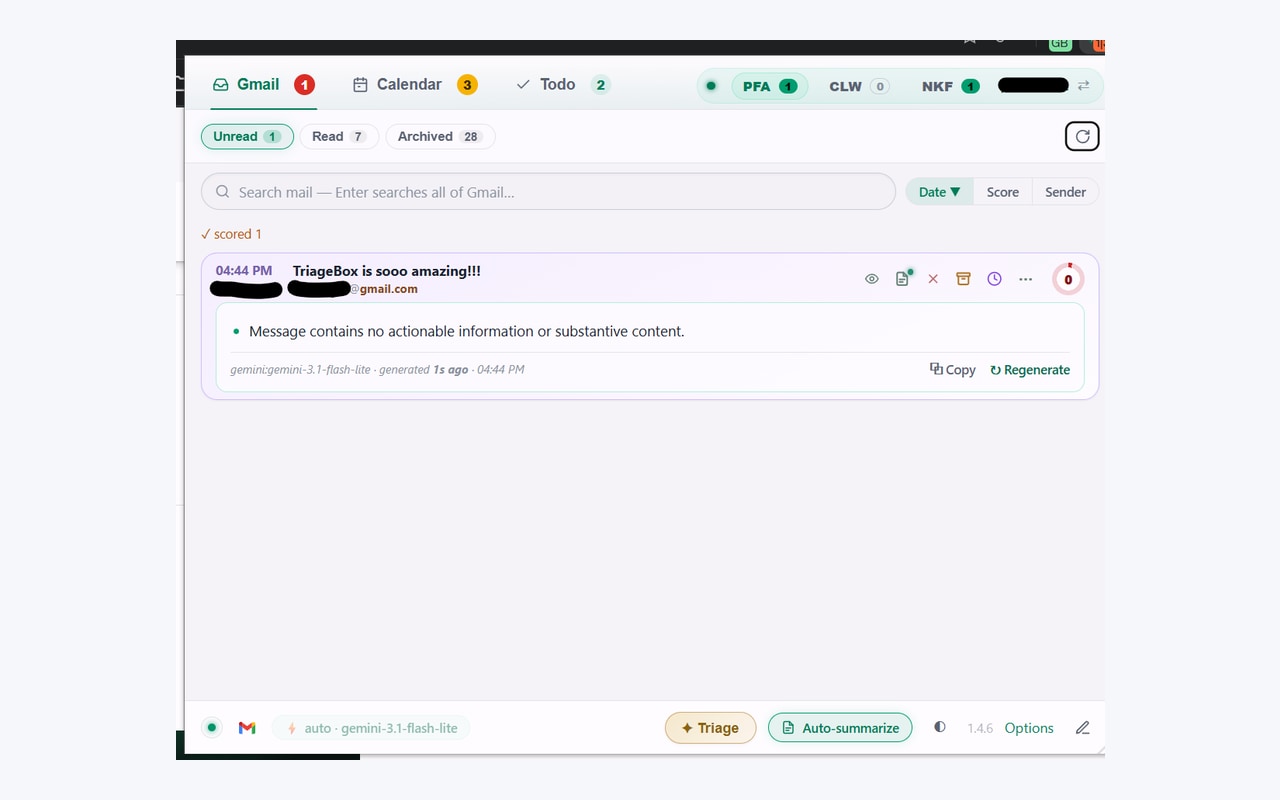
- Open the popup queue. Newest mail stays on top. Peek a thread without clearing Unread. Each card is built locally; the scam checks run at that moment from headers Gmail already returned.
- Read the line, not a score. One off thing is a caution — worth reading twice, not an accusation. Two at once raises “Possible phishing” and suppresses the clickable CTA. Sign-in codes you did not request are labelled as codes, separately.
- Answer a false alarm. “Not phishing” trusts that sender; their mail is never flagged again. Undo in Options → Senders. Optional AI (a Gemini, Grok or OpenRouter key you add) can then score payment fraud — a change of bank details, an unfamiliar IBAN — if you want it. A routine invoice paid to the usual account is not treated as a risk.
Gmail’s verdict, not ours
SPF, DKIM and DMARC are read from Google’s Authentication-Results line. A forged pass the sender wrote is ignored.
The reply is the fraud
From can be genuine. If answering goes to a personal mailbox at another organisation, the card names that address.
The name is the signal
A program attached to an email, or Invoice.pdf.exe. Nothing is downloaded to check this.
Unsubscribe is a different page
Stopping future mail is bulk unsubscribe Gmail. Age cleanup is delete old emails. This page does not move mail.
Headers you already have, in a sentence
See the fact on the card. Warn only when two agree.
Desktop Chrome extension. No TriageBox account. Data stays in your browser. AI is optional.
Limits, stated
What this page does not claim
- It does not detect every scam. There is no published accuracy number, and none will be invented.
- It is not a security company, a SOC, or an overlay inside gmail.com. Use Gmail’s Report phishing there.
- It does not replace Gmail’s spam filter, Show original, or Safe Browsing.
- It does not need — and does not use — an API key for these checks. Payment-fraud scoring is optional AI on your key.
- It does not guess from link labels. That check was removed after it accused legitimate mail. Structural URL checks (username@, punycode, bare IP) exist on the summarise path; they are not the no-key card banner.
- It does not unsubscribe senders or delete old mail. Those are bulk unsubscribe Gmail and delete old emails in Gmail.
- It does not list sent mail waiting for a reply. That is Gmail waiting for reply.
- It does not run on your phone. Gmail’s own spam tools are what you have there.
- It does not send mail through a TriageBox server. Optional AI goes from your browser to the key you added.
- It is not for anyone else’s mailbox.
Quick answers
Gmail phishing checker
How do I check if a Gmail email is phishing without an API key?
Gmail already stamps every message with its own SPF, DKIM and DMARC result (Show original → Authentication-Results). TriageBox is a Chrome extension that puts that verdict on the popup card, plus whether a reply would leave the sender’s organisation, and whether an attachment is a program or hides its type behind a second extension. Nothing is sent to an AI. No API key. This is not a banner inside gmail.com — it runs on cards in the TriageBox popup and workbench.
Does TriageBox detect every phishing email?
No. It is not a security company and it publishes no detection rate. One signal is reported as a fact, because each happens to legitimate mail: forwarded messages fail DMARC, support desks answer from another domain, accountants send macro spreadsheets. Two at once is what raises a warning. You can clear a sender with Not phishing; that address is never flagged again. Gmail’s own spam filter and Report phishing remain the mailbox’s first line.
Is this the same as bulk unsubscribe or deleting old emails?
No. Unsubscribe stops future mail from a sender. Deleting old emails clears mail already in the mailbox by age or category. This page is only the no-key scam checks on the card you are looking at. Different jobs, different pages. Use bulk unsubscribe Gmail or delete old emails in Gmail for those.
Do I need an AI key for the scam checks?
No. Sender verification, reply-path and attachment typing read headers Gmail already sent. They work the minute you sign in. Optional AI (your Gemini, Grok or OpenRouter key) adds thread summaries, 0–100 scores, and payment-fraud scoring — a change of bank details or an unfamiliar IBAN. A routine invoice to the usual account is not treated as a risk. Provider limits and optional AI charges apply.
Does my mail go through a TriageBox server?
No. There is no TriageBox mailbox backend. The separate public support service counts anonymous likes; it receives no Gmail content. Processing runs in your browser; Gmail data is not sent to the publisher. Optional AI requests go from your browser to the provider whose key you added.
Desktop Chrome · Gmail you already have
No key. Gmail’s check. A warning only when two signals agree.
Free to install. No subscription. No TriageBox account.